How to Increase Online Sales: A 4-Lever Action Plan
There is no magic trick for how to increase online sales, but there is a simple equation: an online store’s revenue depends on how many people visit, how many of them buy, how much each order is worth and how often customers come back. Every useful tactic moves one of those four levers.
This guide gives you a practical plan for how to increase ecommerce sales in 2026: the formula to know, the diagnosis to run before you act, the tactics that work (traffic, conversion, average order value and retention), the benchmarks that matter, a 90-day plan and the mistakes to avoid. A calculator lets you estimate what each lever is worth for your own store.
At a glance
- To increase online sales, you work on four levers: qualified traffic, conversion rate, average order value and customer retention.
- Start with a diagnosis: on average, 2 to 3% of ecommerce visits end in a purchase and about 70% of shopping carts are abandoned.
- The fastest wins usually come from conversion: site speed, product pages, costs shown early, simple payment and guest checkout.
- Average order value grows with cross-selling, bundles and a well-placed free shipping threshold; retention grows with email automation and customer service.
- A 90-day plan, measured in Google Analytics 4, keeps you from spreading your budget across tactics that don’t pay off.
How to increase online sales: the formula to know
An online store’s revenue comes down to a multiplication: visitors × conversion rate × average order value over a given period, plus the value of customers who come back to buy again. Increasing online sales means improving at least one of these factors without hurting the others.
The formula has a practical consequence: gains multiply. A store that grows traffic, conversion and average order value by 10% each doesn’t sell 30% more, it sells 33% more (1.1 × 1.1 × 1.1). That is why a balanced plan almost always beats a single tactic, however impressive it looks.
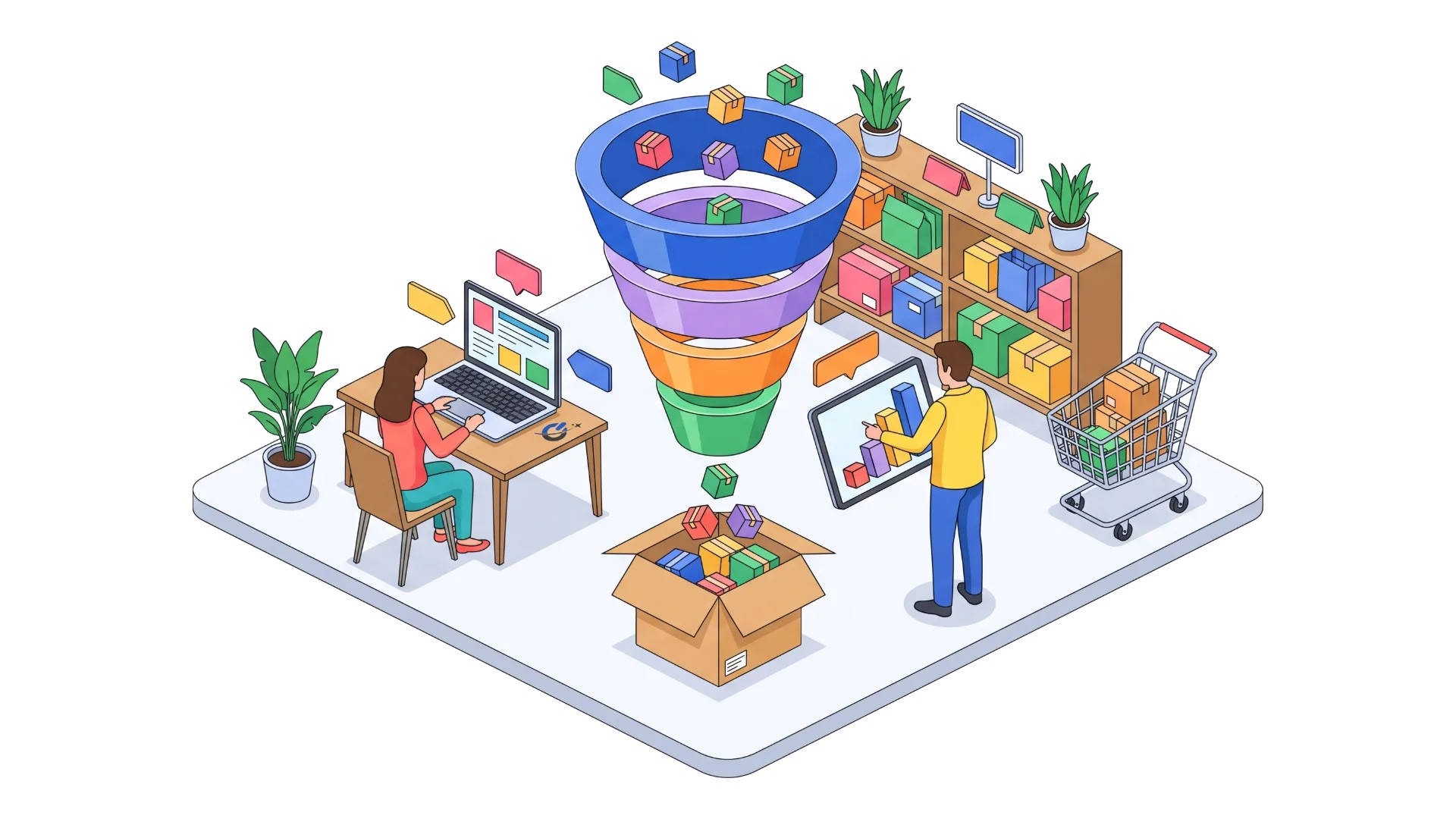
The chart below shows a shopper’s journey, from the first visit to the repeat purchase, and the lever that acts at each step. The figures come from a fictional store with 10,000 visits a month, close to market averages.
Two lessons stand out. The biggest losses happen between the product page and the cart, then between the cart and the order: that is where most lost sales are decided. And a returning customer costs far less than a new one you have to go out and find.
Where to start: diagnose before you act
Before launching an ad campaign or switching themes to increase ecommerce sales, find out where your store loses its shoppers. A site that converts at 0.5% doesn’t need more traffic: every extra visitor would cost more than it brings in. Conversely, a store that converts at 4% but gets 500 visits a month has a visibility problem first.
The diagnosis takes four numbers, available in Google Analytics 4 or in your Shopify, WooCommerce or BigCommerce admin: sessions, conversion rate, average order value and the share of customers who have ordered before. Compare them with market benchmarks.
| Metric | Market benchmark | Source |
|---|---|---|
| Ecommerce conversion rate | 2 to 3% of visits on average worldwide; about 3.4% on desktop | Industry studies 2025, Contentsquare |
| Mobile vs desktop gap | Mobile converts well below desktop | Contentsquare, Digital Experience Benchmark |
| Cart abandonment | 70.22% on average (50 studies) | Baymard Institute, 2025 |
| US average order value | $182 for US small and midsize brands in 2025 (up from $149) | Omnisend, 2025 report |
| Sessions with technical friction | 40% of ecommerce sessions | Contentsquare, 2025 |
These averages hide big differences by industry, price point and device. A furniture or luxury store naturally converts less than a specialty food store, because the purchase takes more thought. Compare yourself to yourself first, month over month, then to your industry.
Our advice: if you can’t read these numbers yet, start by setting up purchase tracking properly. Without reliable measurement, there is no way to know whether a change actually drove sales.
Lever 1: attract more qualified visitors
Traffic is the first lever most people think of when they want to increase sales online, and often the most expensive. The goal isn’t more visitors, it’s more people who intend to buy what you sell. A thousand visitors from a search like “women’s trail running shoes” are worth more than ten thousand who came for a giveaway.
SEO for category and product pages
Search engine optimization brings lasting, free traffic once it is in place. In ecommerce, the pages that earn the most are categories (“linen dresses”, “organic coffee beans”) and product pages, well ahead of the home page. Each needs its own title and copy, a clear heading, lightweight images with alt text and links to related products.
The classic mistakes are well known: product descriptions copied from the supplier, categories with no copy, filters that create thousands of duplicate pages, and sold-out products deleted instead of redirected.
Your categories and product pages don’t show up on Google? Explore our SEO services
Google Ads and Google Shopping
Paid search brings visits from day one, which SEO can’t. Shopping campaigns (or Performance Max), which show the product photo and price right in the results, suit ecommerce best, because shoppers click already knowing the price.
The rule to follow: never send paid traffic to a store that converts poorly. Every click costs money, and a low conversion rate quickly turns a campaign into a loss. Track cost per order, not just cost per click.
Social media and social commerce
Instagram, Facebook, Pinterest and TikTok let you show products in real life, and some let people buy without leaving the app. They work best for visual products (fashion, home decor, beauty, food) and for brands that post consistently.
Connect your social channels to the store both ways: share buttons on product pages, customer photos on the site, and a product catalog synced with Meta, Pinterest and TikTok Shop. Paid social then helps you reach new audiences and retarget visitors who didn’t buy.
Influencer marketing
A creator your customers follow can introduce your brand to an audience that trusts them. For a young store, micro-influencers (a few thousand to a few tens of thousands of followers) often deliver better value than big accounts, with a more engaged audience.
Give each partner a discount code or tracked link so you can measure the sales they actually drive. In the US, the FTC requires sponsored content to be clearly disclosed, and the UK and Canada have similar rules.
An ecommerce blog to reach buyers earlier
A blog answers the questions shoppers ask before they choose: comparisons, size guides, care tips, gift ideas. This content draws qualified traffic, builds trust and feeds internal links to your categories. Done well, it also grows your email list.
Getting recommended by AI answer engines
ChatGPT, Gemini, Perplexity and Google’s AI Overviews now recommend products and brands. Showing up there takes complete, well-structured product pages, reviews, question-and-answer content and a brand that is mentioned elsewhere on the web. Our guide to generative engine optimization explains the method.
Lever 2: convert more visitors into customers
Conversion is the most profitable lever, because it sells more with the traffic you already have, and every improvement then benefits all your traffic sources. It is also the most neglected. According to Contentsquare’s Digital Experience Benchmark, which analyzes billions of sessions, 40% of ecommerce sessions run into technical friction: slow pages, errors, elements that don’t respond.
Speed up the site, especially on mobile
Speed sells. A study run by Deloitte for Google across 37 European and American brand sites found that a 0.1-second improvement in mobile speed lifted retail conversion rates by 8.4% and order value by 9.2%. Oversized images, unnecessary plugins and apps, undersized hosting and third-party scripts are the most common causes of slowness.
Test your store with PageSpeed Insights on mobile and aim to display the main content in under 2.5 seconds.
Optimize the store for mobile sales
Most ecommerce visits now happen on smartphones, yet mobile still converts well below desktop. On a phone, every obstacle counts: tiny buttons, menus that are hard to open, form fields that bring up the wrong keyboard, pop-ups that cover the content.
Walk through your entire purchase journey on a phone yourself, from finding a product to paying. Turn on express payments (Apple Pay, Google Pay, PayPal, Shop Pay), which spare shoppers from typing in a card number.
Make the site easy to use
Visitors should understand within seconds what you sell, find a product in two or three clicks and always know where they are. A site search that tolerates typos, useful filters (size, color, price, availability) and a short menu are often enough to improve navigation noticeably.
Get product pages right
The product page does the work of a salesperson in a store. It should show the product from several angles and in use, answer questions before they are asked (dimensions, materials, compatibility, care), display the price, shipping cost and delivery date, and offer a clearly visible buy button. A description written for the product rather than copied from the supplier helps both sales and search rankings.
Personalization goes further: products recommended based on browsing, content adapted to location or season, reminders of items viewed. The tools built into Shopify, WooCommerce or BigCommerce are enough to start.
Build trust
A shopper who doesn’t know your brand looks for proof. Verified customer reviews displayed near the price are the most effective. Add clear guarantees (returns, refunds), familiar payment methods, real contact details and reachable customer service. Never publish fake reviews: the FTC’s rule on fake reviews and testimonials allows civil penalties, and getting caught destroys trust.
Run A/B tests regularly
An A/B test compares two versions of a page (a headline, a button, a photo, the order of sections) across two groups of visitors and keeps the one that sells more. It is the only way to know what works on your store, rather than following generic recipes.
To understand visitor behavior before testing, tools such as Hotjar, Lucky Orange or Microsoft Clarity (free) record clicks and scrolling. To run tests, VWO, Optimizely, AB Tasty and Kameleoon are widely used; Google Optimize was shut down in 2023. A serious test needs enough traffic: below a few hundred orders a month, focus on obvious fixes and watch trends.
Does your store take more than three seconds to load on mobile? See our website maintenance and speed optimization
Reduce cart abandonment to boost ecommerce sales
About 70% of carts never become orders: that is the average the Baymard Institute calculated from about fifty studies. Some abandonment is unavoidable, since many shoppers are comparing or saving items for later. But the reasons buyers give show that much of it can be fixed.
| Reason for abandonment (excluding just browsing) | Share of shoppers | Fix |
|---|---|---|
| Extra costs too high (shipping, tax, fees) | 39% | Show the real total on the product page or in the cart |
| Delivery was too slow | 21% | Offer a fast option and an estimated delivery date |
| Didn’t trust the site with card details | 19% | Familiar payment methods, reviews, guarantees, visible contact details |
| Site required an account | 19% | Guest checkout, account offered after purchase |
| Checkout too long or complicated | 18% | Short form, autocomplete, visible steps |
| Unsatisfactory return policy | 15% | Clear, simple returns shown before purchase |
According to the same institute, a large ecommerce site can gain 35% in conversion on average by fixing checkout usability issues alone. Here are the main fixes.
Optimize the cart page and checkout
Show the real total, including shipping and sales tax, as early as the cart. Offer guest checkout, with account creation suggested after the purchase. Cut the form down to the essential fields, turn on address autocomplete and clearly show the remaining steps. Keep a single, visible primary button, and don’t send shoppers off to other pages once they have started paying.
Offer several shipping options
Delivery time and cost weigh as much as the product price. Offer at least two options (economy and expedited, or local pickup where it makes sense) and show an estimated delivery date rather than a vague time frame. Free shipping remains a strong argument, as long as you control its cost.
Add buy now, pay later and subscriptions
Installment payments (Klarna, Affirm, Afterpay, PayPal Pay in 4) ease price resistance on larger orders. Payment providers such as Stripe, PayPal, Shopify Payments or Adyen also let you sell subscriptions: coffee, skincare, pet food, consumables. A subscription turns a one-off sale into recurring revenue, and it is one of the most reliable ways to improve ecommerce sales over time.
Check each provider’s fees and the consumer disclosure rules that apply to installment credit in your market.
Recover abandoned carts
An email sent a few hours after abandonment, then a reminder the next day, wins back part of the lost sales. Simply show the cart contents with photos, remove a possible obstacle (shipping, returns) and avoid automatic discounts, which teach customers to wait. Sending requires an email address entered at checkout and compliance with your market’s email rules.
Use pop-ups sparingly
A window shown when a visitor is about to leave (an exit-intent pop-up) can offer something original: free shipping, a free guide, a sample, a newsletter sign-up. It should stay rare, be easy to close and never cover the content on mobile, which Google penalizes.
Lever 3: increase average order value
Average order value is the easiest lever to pull, because it needs neither more traffic nor new customers. Raising it directly offsets the pressure on prices that many stores feel, and every dollar gained per order goes straight to revenue.
Cross-selling and upselling
Cross-selling suggests a complementary product (the case with the laptop, the sauce with the pasta), upselling a better version of the same product. Both work when the suggestion is genuinely useful and proportionate: a $15 accessory next to a $60 product, not a $300 one. Place them on the product page and in the cart, never in the middle of checkout.
Bundles, packs and volume pricing
Bundles (three pairs of socks, a discovery box) and volume discounts increase the number of items per order. They also lower the shipping cost per item, which protects your margin.
The free shipping threshold
Setting free shipping slightly above your current average order value, for example at $75 for a $62 average, nudges some customers to add one more item. Show the remaining amount in the cart (“only $8 more for free shipping”) and suggest small products to close the gap.
Create urgency without manipulation
Genuinely limited stock, a dated offer or a seasonal edition help shoppers decide faster. These tactics must never rely on false information: fake countdown timers and fake stock levels are deceptive practices that the FTC and other regulators go after.
Lever 4: retain customers to grow online sales over time
A customer who has already bought knows your brand, trusts your delivery and comes back without ad spend. Frederick Reichheld’s work at Bain & Company popularized a widely quoted order of magnitude: a 5% increase in customer retention can raise profits by 25% to 95%, depending on the industry. The figure varies a lot from one business to another, but practice confirms the trend: retention is one of the most profitable levers.
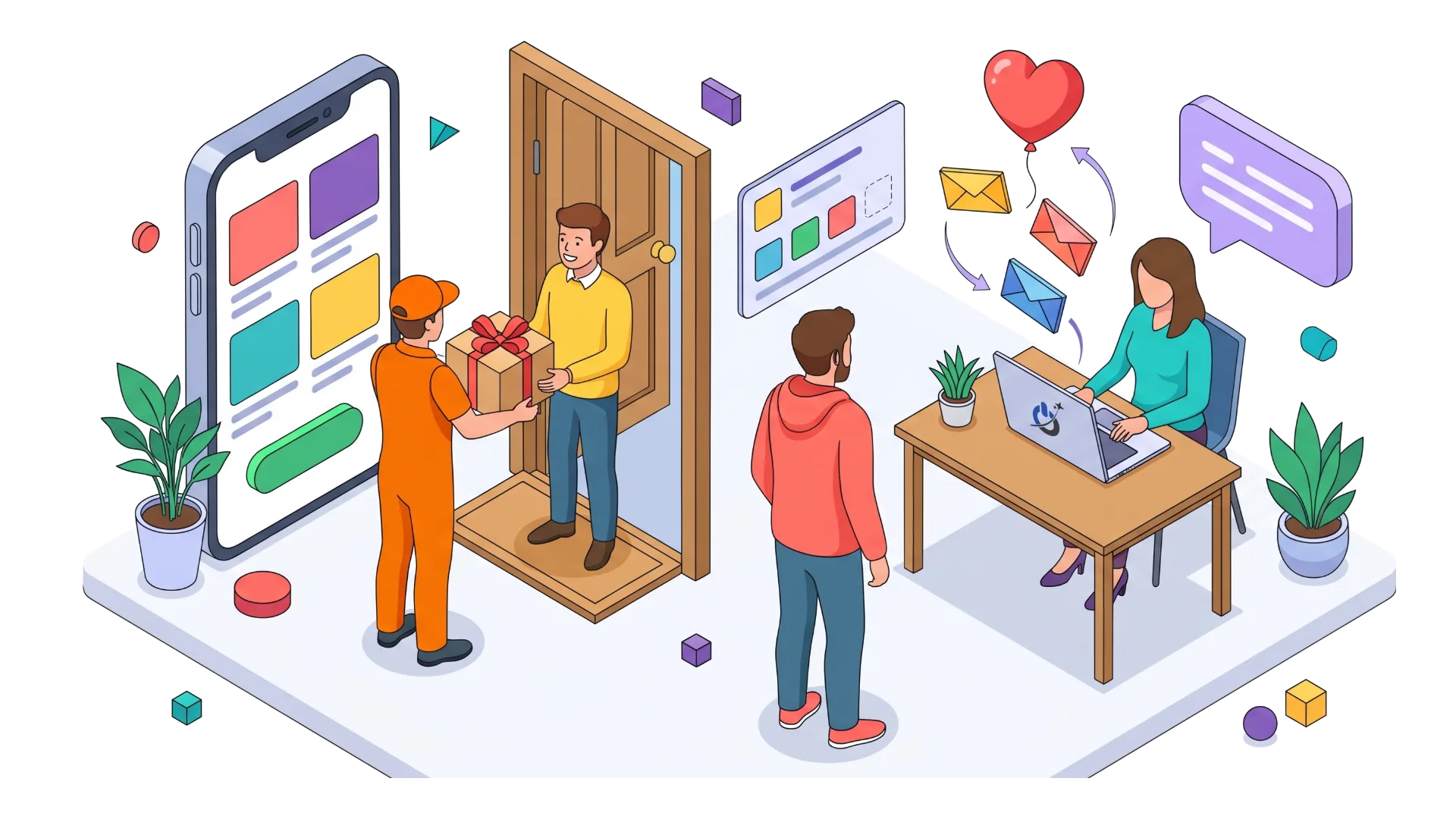
Run email marketing campaigns that drive sales
Email is still the most profitable ecommerce channel, because it reaches people who already know you. Automated flows earn the most: welcome, cart recovery, post-purchase thank-you, review request, back in stock, birthday and win-back for inactive customers. Newsletters add new arrivals and tips on top.
Follow the consent rules of each market: CAN-SPAM in the US, CASL in Canada, UK GDPR and PECR in the United Kingdom, and state privacy laws such as the CCPA in California.
A simple loyalty program
Points, a perk from the second order, early access to sales, a birthday gift: an effective program can be explained in one sentence. A modest, easy-to-earn reward beats a complex system nobody uses.
Customer service that brings people back
A quick answer, an easy return, a problem solved with a smile: that is often what decides a second order. Offer several channels (email, chat, phone or messaging), publish a help page that answers common questions and track your response time. A chatbot can handle simple requests, as long as there is always a way to reach a person.
Run a giveaway and surprise customers
A giveaway on social media or by email creates attention and grows your audience. It drives sales when the prize is tied to your products, which attracts genuinely interested people, and when every entrant then gets a welcome offer. A small unannounced gift in the package surprises customers and gets them talking.
Calculate what each lever is worth for your store
To see how to increase online sales on your own store, the calculator below applies the revenue formula to your numbers. Enter your current figures, then the improvements you consider realistic: it shows the additional revenue, the gain from each lever on its own and a suggested priority.
The results are estimates: they assume the levers don’t interact, while in practice more paid traffic often lowers the conversion rate a little. Their main purpose is to show the order of magnitude of each action, so you can decide where to invest first.
A 90-day action plan to increase online sales
Not all ecommerce tactics are equal. The table ranks the main ones by the effort they take and the impact usually seen, so you can start with what pays off fastest.
| Action | Lever | Effort | Typical impact |
|---|---|---|---|
| Show shipping costs in the cart | Conversion | Low | Strong |
| Allow guest checkout | Conversion | Low | Strong |
| Automated abandoned cart emails | Conversion | Low | Strong |
| Express payments (Apple Pay, Google Pay, PayPal, Shop Pay) | Conversion | Low | Medium |
| Free shipping threshold above average order value | Average order value | Low | Medium |
| Cross-sells on product pages and in the cart | Average order value | Medium | Medium |
| Speed up the mobile site | Conversion | Medium | Strong |
| Rewrite your top product pages | Conversion and traffic | Medium | Strong |
| Welcome, post-purchase and win-back emails | Retention | Medium | Strong |
| SEO for category pages | Traffic | High | Strong |
| Google Shopping campaigns | Traffic | Medium | Varies |
| Loyalty program | Retention | Medium | Medium |
| Full store redesign | All | High | Varies |
Then organize the work in three phases.
Days 1 to 30: measure and fix
- Check purchase tracking in GA4
- Measure mobile speed
- Show costs early, allow guest checkout
- Abandoned cart emails
- Test the journey yourself on mobile
Days 31 to 60: convert and grow order value
- Rewrite your 20 best-selling product pages
- Add reviews and guarantees near the price
- Cross-sells and bundles
- Adjust the free shipping threshold
- First A/B tests if traffic allows
Days 61 to 90: attract and retain
- Optimize category pages for SEO
- Launch or tune Google Shopping
- Welcome and post-purchase emails
- Simple loyalty program
- Review: keep what drove sales
Our advice: don’t run more than two or three projects at once. Otherwise you can’t tell which change grew sales, and the team burns out.
Mistakes that hold back online sales
Some common beliefs are expensive. Here are the ones we see most often.
- “We need more traffic.” If your conversion rate is low, every extra visitor costs more than they bring in. Fix the store before buying traffic.
- “A sale always sells.” Constant discounts eat into margins and teach customers to wait for the next one. Prefer targeted perks (shipping, gifts, loyalty rewards).
- “A redesign will fix it.” A redesign without a diagnosis moves the problems around and can cost you Google rankings. Fix the measured issues first.
- “Social media is enough.” It depends on algorithms that keep changing. A well-ranked website and an email list belong to you.
- “Mobile is the same thing.” A journey designed for desktop and simply shrunk on a phone loses a large share of mobile sales.
- “We’ll look at the numbers later.” Without reliable purchase tracking, no decision can be verified.
Measure and manage your online sales
A plan is only as good as its follow-up. Pick a few metrics, check them every week and always compare a period with the same period last year to account for seasonality.
| Metric | What it measures | Where to find it |
|---|---|---|
| Sessions by channel | Traffic volume and source | GA4, Acquisition reports |
| Conversion rate | Share of visits that end in a purchase | GA4, Ecommerce reports; store admin |
| Average order value | Average amount per order | Store admin; GA4 |
| Cart abandonment rate | Share of carts not converted | GA4 purchase funnel; Shopify, WooCommerce, BigCommerce |
| Returning customer rate | Loyalty | Store admin; email platform |
| Acquisition cost per order | Profitability of each paid channel | Google Ads, Meta, GA4 |
| Mobile speed (LCP) | Time to display the main content | PageSpeed Insights, Search Console |
Annotate every important change in your analytics tool (new product page, new payment method, campaign): a few weeks later, you’ll know what made a difference.
The bottom line
Increasing online sales means working, in the right order, on four levers that multiply each other: qualified traffic, conversion rate, average order value and retention. Most stores gain the most by fixing conversion first (speed, mobile, product pages, costs shown early, guest checkout), then raising average order value and setting up automated emails. Paid traffic comes next, on a store that can turn it into orders. Measure every action, move forward in steps of a few weeks, and keep what works.
Frequently asked questions about increasing online sales
How can I increase online sales quickly?
The fastest gains come from conversion, because they use the traffic you already have. Show shipping costs in the cart, allow guest checkout, speed up mobile pages and add express payments such as Apple Pay, Shop Pay or PayPal. Also set up an abandoned cart email. These changes take a few days and often show a measurable effect within a few weeks.
Why does my online store get traffic but no sales?
Most often, the traffic doesn’t match purchase intent, or the site has friction: slow pages, incomplete product pages, prices or shipping costs revealed too late, few reviews, a checkout that is too long. First check where visitors come from and at which step they leave, using Google Analytics 4. Then compare your conversion rate with market averages, around 2 to 3% for ecommerce.
What is a good conversion rate for an online store?
The ecommerce average is generally between 2 and 3% of visits, with big differences by industry, price point and device. Food and everyday products convert better than furniture or luxury goods, and desktop converts better than smartphones. The best benchmark is your own history: a rate that rises month after month shows your changes are working.
How do I increase ecommerce sales without raising my ad budget?
Work on conversion, average order value and retention, which don’t require extra traffic. Optimize product pages and checkout, offer cross-sells and a free shipping threshold, and automate welcome, cart recovery and win-back emails. SEO for your category pages brings free traffic in parallel that grows over several months.
Does buy now, pay later increase online sales?
It helps mostly on larger orders, by easing price resistance: a $400 purchase split into four payments feels more accessible. Services such as Klarna, Affirm, Afterpay or PayPal Pay in 4 integrate with the main ecommerce platforms. They come with a fee taken on each sale, and installment credit is subject to consumer disclosure rules. Test them on your most expensive products and measure the effect on conversion and margin.
Which metrics should I track to manage online store sales?
The key metrics are sessions, conversion rate, average order value, cart abandonment rate, the share of returning customers and customer acquisition cost by channel. Review them weekly and compare them with the same period last year to account for seasonality. Google Analytics 4 and your Shopify, WooCommerce or BigCommerce admin provide most of this data.
Our sources
- Baymard Institute, Cart Abandonment Rate Statistics (average across 50 studies and abandonment reasons)
- Google, web.dev, Milliseconds make millions (Deloitte study, 37 sites, 30 million sessions)
- Republik Retail, Contentsquare Digital Experience Benchmark 2025 (in French)
- Omnisend, US ecommerce orders and average order value in 2025
- Smart Insights, Ecommerce conversion rate benchmarks