PHP2Shell PHP Vulnerability: How to Update PHP and Protect Your Site

Wednesday, October 21, 2026, 4:00 PM in Paris, 10:00 AM in Montreal: the PHP team releases an emergency security update. Within hours, bots are already scouring the web for unpatched servers. For an online store manager or a firm director, nothing seems to change: the site loads, forms work. Yet, if the server runs on a vulnerable version, an unknown attacker can execute their own commands without needing a single password. This critical PHP vulnerability requires immediate action.
This is known as the PHP2Shell flaw. It is not found in WordPress, PrestaShop, or a plugin, but in PHP itself—the language powering about 70% of all websites. The only complete protection is a server-level update PHP version, and simply updating your CMS is not enough.
This guide compiles what security vendors and researchers have published since the discovery (AWS, Automattic, Trellix, Kaspersky, Bitdefender, Sansec, the Dutch National Cyber Security Centre…), translated into plain English for website owners and SMB leaders. You will learn what the flaw is, how to check php version in two minutes, who should perform the update based on your hosting, what to do if it cannot be done immediately, how to spot an attack, and the complete checklist of actions to take.
At a glance
- The PHP2Shell flaw (CVE-2026-109618 and CVE-2026-109619) can only be fixed by a PHP update: updating WordPress, PrestaShop, or their plugins is not enough.
- It allows attackers to execute code on the server without any password and affects PHP versions 5.4 to 8.5.
- The patched versions are PHP 8.5.12, 8.4.27, 8.3.36, and 8.2.35; PHP 8.1 and older no longer receive official patches.
- Attacks were observed even before the patch was published, and millions of servers remained vulnerable in early November 2026.
- After the update, you must restart PHP, check for signs of intrusion, and plan for the deprecation of PHP 8.2, which reaches its end of life in late 2026.
PHP2Shell: Definition of a PHP vulnerability targeting your site’s engine
PHP2Shell is the nickname for two critical flaws in the PHP language, tracked as CVE-2026-109618 and CVE-2026-109619, patched on October 21, 2026. They allow an unauthenticated attacker to execute commands on a remote web server, which specialists call an RCE (Remote Code Execution). Each scores a 9.2 out of 10 on the CVSS severity scale. The name echoes Log4Shell, the flaw that hit millions of Java servers in late 2021.
To understand why this is serious, imagine an office building. Your site is your office: you have a good lock (strong passwords), an alarm (security plugin), and you maintain your furniture (CMS updates). PHP is the main entrance to the building. If this door has a manufacturing defect known to everyone, anyone can enter the building without even passing by your office.
What the flaw actually does
The two flaws exploit how PHP manages its memory when processing a request, especially form submissions.
- CVE-2026-109618: an intentionally inflated request (e.g., a field name of several megabytes) exhausts available memory during request preparation. PHP then crashes, leaving half-initialized data that the cleanup code later treats as valid. This memory corruption can be hijacked to execute code.
- CVE-2026-109619: a PHP process serving multiple visitors in a row can keep a reference to a previous request’s memory, which has already been freed. A well-crafted subsequent request can use it. This path notably involves the file upload progress tracking, a feature enabled by default.
In both cases, the attack happens before your site’s code even runs. Your CMS, theme, and plugins can be perfectly up to date: they won’t even see the request coming.
Who discovered PHP2Shell?
The flaws were found by Wiz Research researchers, aided by AI models, and reported to the PHP security team in August 2026. The patch was prepared discreetly over two months, then released in a coordinated manner. It is a sign of the times: AI accelerates the discovery of vulnerabilities, on both the defense and attack sides, and the delay between a flaw’s announcement and its exploitation is now measured in hours.
Timeline: From discovery to the first attacks
Reports from AWS, Trellix, and Kaspersky help retrace the events. One point stands out: attacks began before the patch was published.
Two lessons for a website owner. First, waiting for the “next maintenance window” is no longer an option for a flaw of this level: Trellix estimates that standard 7 or 30-day patching windows are no longer realistic for internet-exposed systems. Second, the search for attack traces must go back to October 17, not just the announcement date.
Why updating WordPress is not enough
This is the most common misunderstanding, and Automattic, the company behind WordPress.com, pointed it out on October 21: updating WordPress, its theme, or its plugins does not fix PHP2Shell. You must update PHP, meaning the engine installed on the server.
CMS, plugins, and PHP: Three different layers
A site consists of several layers, maintained by different people:
- The CMS and its plugins (WordPress, PrestaShop, Joomla, Drupal, Magento…): updated from the site administration, by you or your agency.
- The PHP language: installed on the server, updated by the host or the server administrator.
- The web server and system (Apache, Nginx, LiteSpeed, Linux): same responsibility as PHP.
PHP2Shell sits in the second layer. A WordPress security plugin or a PrestaShop anti-hacking module can do nothing, because the malicious request is processed by PHP before the plugin even starts. Sansec, an e-commerce security specialist, also notes that its own Web Application Firewall does not protect against this attack for the same reason.
For the update procedure on the WordPress side (backup, staging site, update order), we published a step-by-step guide: how to update WordPress and PHP without breaking your site.
Sites already protected without your action
Some platforms manage PHP for you. Automattic indicates that sites hosted on WordPress.com, WordPress VIP, WP Cloud, or Pressable are protected without any action from their owners. Fully hosted solutions that do not give you server access, like Shopify or Wix, are not your responsibility in this regard. For everyone else, meaning the vast majority of WordPress, WooCommerce, PrestaShop, Joomla, or Drupal sites on standard hosting, you must check.
PHP flaw: Which sites and configurations are affected?
All PHP versions that process web requests, from PHP 5.4 to PHP 8.5, are affected, regardless of the CMS. Exploitations have been demonstrated against WordPress, Drupal, and Joomla, and confirmed on Magento, Nextcloud, and phpMyAdmin according to Trellix. Even a minimal PHP page can be enough, according to Automattic.
The risk level mainly depends on how your server executes PHP. This is a technical detail, but it changes the priority:
| PHP Execution Mode | Where it is found | Risk Level | Key Takeaway |
|---|---|---|---|
| Apache + mod_php | Older hosting, traditionally configured dedicated servers | Highest risk | The attack succeeds before the site’s code even runs. |
| PHP-FPM (Nginx or Apache) | Most modern hosting and virtual servers | Affected | Harder to exploit, but updating remains mandatory. |
| LiteSpeed (LSAPI) | Many shared hosting environments | Affected | Within the official scope, few public analyses. |
| php-cgi, FrankenPHP | Specific configurations, containers | Affected | Within the official scope, few public analyses. |
| Command-line PHP only | Scheduled scripts, unexposed internal tools | Low exposure | Should still be updated, often installed alongside the web version. |
The PHP project designates Apache with mod_php as the most exposed configuration, as code execution has been demonstrated there before the application even starts. Other modes, including PHP-FPM, the most common today, remain within the official scope. Bitdefender reminds us that exploitation is not identical everywhere, but no configuration justifies delaying the update.
Your server’s secrets are also at stake
The flaw doesn’t just allow server takeover. One of the two variants can also leak memory chunks, which sometimes contain database passwords, API keys, session tokens, or encryption keys.
Trellix also points out that successful exploitation can be silent: the server responds normally and the application logs show nothing. This is why specialists recommend rotating the secrets of a server that remained exposed, even without proof of intrusion. Our article on API keys and passwords in code explains how to inventory and renew them.
How to check your site’s PHP version
First and foremost, you need to know which PHP version runs your site. It is displayed in the administration panel of most CMSs or in your hosting client area:
Beware of the command-line trap: on a server, the php -v command indicates the version of PHP used in the console, which is not always the one serving web pages. Rely on the version displayed by the site itself.
Check your version in one click
Enter the number found above: the tool will tell you if your version contains the PHP2Shell patch and how long it will be maintained.
An old number doesn’t always mean “vulnerable”
Linux distributions like Debian, Ubuntu, Red Hat, or AlmaLinux often backport the patch into their own packages without changing the PHP version number. A server can therefore display “8.2.28” and be patched. Conversely, an online scanner might falsely flag it as vulnerable. On a Debian or Ubuntu server, the administrator can check this in the package changelog (search for “CVE-2026-109618”); on Red Hat and its derivatives, with the rpm -q --changelog command. If you are on shared hosting, the best method is to ask your host in writing.
Patched PHP versions and end-of-life dates
On October 21, 2026, the PHP project released a patched version for each of the four branches still maintained. For deprecated branches, they only provided source code patches, which only some vendors and distributions adopted.
| Branch | Patched version against PHP2Shell | End of security support | Our advice |
|---|---|---|---|
| PHP 8.5 | 8.5.12 or higher | December 31, 2029 | Recommended |
| PHP 8.4 | 8.4.27 or higher | December 31, 2028 | Recommended |
| PHP 8.3 | 8.3.36 or higher | December 31, 2027 | Acceptable |
| PHP 8.2 | 8.2.35 or higher | December 31, 2026 | Migrate before late 2026 |
| PHP 8.1, 8.0, 7.4 | No official version (source code patches only) | Already deprecated | End of life |
| PHP 7.3 and older | No patch | Already deprecated | End of life |
Which PHP version to choose in 2026?
If you need to change versions, you might as well aim for a long-term supported branch. PHP 8.4 and PHP 8.5 receive security patches until late 2028 and late 2029; these are the most durable choices, provided your theme and plugins are compatible. PHP 8.3 remains an acceptable option until late 2027. Choosing PHP 8.2 today means forcing yourself to do it all over again in less than two months.
The case of end-of-life versions
VulnCheck estimates that over 1.1 million servers exposed on the internet are still using a php end of life version. For them, there are only three ways out, according to Trellix: migrate to a maintained version, install a backported patch from a verified vendor (some distributions and hosts offer extended support), or disconnect the system from the internet.
Sansec also points out that the official PHP Docker image is not patched for versions 8.1 and older. If your site still runs on PHP 7.4 or 8.0, it’s often a sign of a site that hasn’t been maintained for several years: updating PHP then requires checking the theme, plugins, and sometimes custom code, or even considering a website migration.
How to update PHP based on your hosting
Who needs to act? It all depends on how your site is hosted. Malwarebytes summarizes it well: the first step for a website owner is to identify who is responsible for updating their PHP installation.
| Hosting Type | Who updates PHP? | What you need to do |
|---|---|---|
| Shared hosting | The host updates PHP on their servers | Select a recent version in the panel, request written confirmation of the patch |
| Managed WordPress or e-commerce hosting | The host manages PHP and often a firewall | Check the host’s announcement, test the site after the change |
| Virtual Private Server (VPS) or dedicated | You, or your maintenance provider | Update packages, restart PHP and the web server, check for attack traces |
| Containers, Docker images, appliances | Your technical team or the solution vendor | Rebuild images, check the embedded PHP in each product |

Shared or managed hosting: The right question to ask
On shared hosting, you cannot install the patched version yourself: the host updates the versions offered on their servers. However, you can choose the branch used by your site (8.3, 8.4…) in your client area. Send your host a simple question in writing: “Is the October 21, 2026 PHP2Shell patch applied to my site’s PHP version, and has PHP been restarted since?” Keep their answer: it will serve as proof in case of a problem.
Virtual or dedicated server: Update, then restart
If you rent a server, the update is up to you or your provider. It involves the packages of your distribution or the repository used (e.g., deb.sury.org or Remi), followed by an often-forgotten step: the restart. AWS insists on this detail, because running PHP processes continue to use the old code in memory until they are restarted. You must therefore restart PHP-FPM and the web server, then verify the version actually served by the site.
The Dutch National Cyber Security Centre (NCSC-NL) adds a point of vigilance: updating PHP on the machine does not update the PHP embedded in containers, appliances, or certain business software.
Windows servers: The second wave of patches
Windows servers experienced an additional episode. On October 26, PHP republished its Windows versions (8.5.12-1, 8.4.27-1, 8.3.36-1, and 8.2.35-1) to include a patched version of the Brotli compression library, affected by another flaw (CVE-2026-111497). The number displayed by PHP does not change: only the “-1” designation of the downloaded package distinguishes it.
Testing the site after the update
Changing the PHP branch (e.g., moving from 8.1 to 8.4) can cause errors with an old theme or plugin. A simple patch update within the same branch (8.3.30 to 8.3.36) is generally safe, but a check is still necessary: contact forms, file uploads, checkout and payment, client area, scheduled tasks. On a critical site, the ideal is to validate the new version on a staging copy, as we detail in our article on website updates and the cost of waiting.
No time to check your server or test the site after the update? Entrust your site's PHP update to our team
If updating is impossible right away: Temporary measures
The PHP project is clear: there is no complete mitigation measure, updating is the only safe choice. If a delay is inevitable (internal validation, dependency on a provider, incompatible old site), these settings reduce the risk for a few days, provided they are applied by a competent person.
Recommended PHP settings
- Disable upload progress tracking:
session.upload_progress.enabled = 0, at the server level (php.ini, PHP-FPM pool configuration, or Apache), not in the site’s code or a.user.inifile. This setting blocks the main path for CVE-2026-109619 and also neutralizes CVE-2026-115560. The PHP project even advises keeping it after the update if you don’t use this feature. - On PHP 8.5: disable fatal error backtraces (
fatal_error_backtraces = 0). - Limit request size, the number of headers, and form parts at the web server, proxy, or firewall level.
- Restart all PHP processes after each modification, otherwise the setting will not apply.
Some specialists suggest more advanced settings (restarting a PHP-FPM process on every request, modifying PHP’s memory limit), which come with a performance cost and must be closely monitored. Trellix and Bitdefender, however, advise against using system memory limits (RLIMIT_AS or RLIMIT_DATA), which can actually trigger the flaw.
Web Application Firewall and form blocking
A Web Application Firewall (WAF), like those from Cloudflare or AWS, can filter some malicious requests. It does not fix PHP, and Trellix observed attackers modifying their requests as early as October 22 to bypass published rules. On a site that accepts no file uploads, blocking multipart/form-data requests at the server level also strongly reduces exposure. On a store, this measure breaks product image uploads and sometimes certain order forms: test it before leaving it in place.
Take the site offline?
Some Dutch sites took themselves offline as a precaution, and Malwarebytes mentions this option for systems that cannot be patched. For a corporate site or a store whose host has applied the patch, this is not necessary. It is, however, a reasonable option for an old site on deprecated PHP that is no longer used, or for an internal tool exposed on the internet for no reason.
Has your site been attacked? Signs to look for
A vulnerable version does not mean the site has been hacked. AWS distinguishes four levels of evidence that should not be confused: an exposed server, a suspicious request, a successful exploitation, and a confirmed compromise. To be sure, you must examine the traces left on the server, going back to October 17, 2026.
In the server logs
- Unusual, very large, or rapid-fire POST form requests, especially with a
PHP_SESSION_UPLOAD_PROGRESSfield. - Abnormally long session cookies.
- Spikes in HTTP 500 errors on pages receiving forms.
- PHP memory exhaustion errors (“Allowed memory size… exhausted”) accompanied by “Unknown on line 0”.
- Scanning tools openly identifying themselves, with a browser user-agent containing “php2shell”.
These traces mostly indicate attempts, not successes. Bitdefender reminds us that their absence is also not enough to rule out a compromise.
On the server and in the site
- New PHP files in the site folders, uploads, or cache: this is the classic mark of a web shell.
- Unknown executable files in the system’s temporary folders.
- Programs launched by PHP or the web server that have no business being there (command interpreters, download tools).
- Unexplained outbound connections, abnormal CPU load, a suddenly slow server.
- On the CMS side: an unknown administrator, redirects to other sites, foreign language pages in Google.
The first payloads observed by Trellix were web shells, botnet malware (Mirai) used to launch denial-of-service attacks, and a remote access agent. A compromised server can therefore be used to attack other sites without its owner noticing.
What to do if you find signs of intrusion
- Preserve evidence: AWS recommends isolating the server and copying logs before restarting, as a restart erases useful traces.
- Patch PHP and clean up, or better yet, rebuild the server from a clean base and a backup prior to the intrusion.
- Rotate all secrets accessible to the server: database, API keys, administrator access, FTP, and SSH access.
- Assess the data breach and, if customers’ personal data may have been accessed, check your notification obligations with the relevant authority (like the ICO in the UK, or state attorneys general in the US depending on local laws).
Our emergency guide for hacked sites details these steps, and our investigation into website security analysis shows how to distinguish, with evidence, between suspicious traffic and a real hack. If you need immediate assistance, our website security audit and protection services can help secure your infrastructure.
Doubtful about an intrusion since October 17? Have your server analyzed by our security experts
Online stores: E-commerce vigilance points
WooCommerce, PrestaShop, Magento, or Shopware stores are prime targets: they process orders, store customer data, and access payment accounts. Sansec, specialized in e-commerce security, points out that their code can be perfectly clean and the store still exposed, since the flaw is in PHP.
Its recommendations to merchants are pragmatic:
- Update PHP on every server of the store (site, administration, auxiliary servers). No modification to the store’s code can fix the flaw.
- Do not close the store if the update is done: it is not necessary.
- Test a real order after any temporary measure, as blocking forms can break the cart, payment, or adding product images.
- Monitor server memory if the PHP memory limit was modified in an emergency, and restore it after the update.
Sansec also adds a useful nuance: according to its analyses, public proofs of concept do not work on a default PHP installation and generally require another flaw in the application. It therefore considers mass exploitation less likely than announced. This disagreement among specialists does not change the conclusion: the PHP update remains mandatory, but there is no need to panic. For more information, check our guide on the most common e-commerce maintenance incidents.
Threat landscape two weeks after the patch
Kaspersky drew up an initial assessment in late October. It outlines a very real threat, but not yet the announced catastrophe.
- Confirmed attacks: first attempts as early as October 17, confirmed exploitation on a honeypot server on October 24, added to the CISA Known Exploited Vulnerabilities catalog on October 26.
- Unexpected targets: firewalls and administration servers embedding PHP were compromised, sometimes in combination with a Linux kernel flaw. The flaw therefore does not only affect websites.
- Massive patching delay: about 29 million servers out of the 46 million detected by Censys remained vulnerable.
- No massive wave of hacks confirmed at this stage, and no ransomware group identified, according to Kaspersky and Trellix.
Two related flaws to know about
- CVE-2026-115560, announced October 23: another code execution flaw related to file upload tracking, which only affects sites with unusual session settings. It will be patched in an upcoming regular PHP release; meanwhile, the
session.upload_progress.enabled = 0setting is enough to block it. - CVE-2026-111497: a flaw in the Brotli library, used to decompress certain web responses. It affects Windows versions of PHP, patched by the “-1” packages, and sites that automatically decompress responses from other servers.
What PHP2Shell means for SMB leaders
Analyses from Trellix and Fortinet, written for security teams, contain a message directly relevant to business leaders: a site’s security does not stop at its CMS.
Reaction time is measured in hours
On October 21, web shells and botnet malware were circulating the very afternoon the patch was released. A company that waits for its provider’s monthly visit, or that discovers the flaw by reading the news a week later, leaves its server open during the most dangerous period.
A business risk, not just a technical one
A server taken over by an attacker potentially means:
- a defaced site, redirected to fraudulent sites, or flagged as dangerous by Google, resulting in a loss of traffic and SEO rankings;
- customer data accessed or copied, leading to notification obligations and a loss of trust;
- a server used to attack other sites or send spam, and a blacklisted IP address that blocks your own emails;
- days of downtime and a cleanup bill far exceeding the cost of preventive maintenance.
Inventory everything running on PHP
The Dutch National Cyber Security Centre recommends starting with an inventory of PHP applications, prioritizing those exposed on the internet. In an SMB, the list is often longer than one thinks: corporate site, store, old brand site, client extranet, booking tool, phpMyAdmin, intranet… Forgotten sites, which are no longer maintained by anyone, are the most exposed. These are also the ones that generate silent failures that no one notices until it’s too late.
Common misconceptions about the PHP2Shell flaw
- “My WordPress is up to date, I am protected.” False: the flaw is in PHP, not WordPress.
- “I have a security plugin, it will block the attack.” False: the attack happens before the plugin starts.
- “My site is too small to interest hackers.” False: attacks are automated; bots test all accessible servers, regardless of size.
- “A Web Application Firewall is enough.” False: it reduces the risk, but attackers adapt their requests to bypass it.
- “My version number is old, I am definitely vulnerable.” Not always: some distributions patch without changing the number. You must check with the host.
- “The update is done, the matter is closed.” Not quite: you must restart PHP, check for intrusions since October 17, and plan for the end of life of PHP 8.2.
PHP2Shell Checklist: 10 actions to take
This checklist is inspired by official recommendations from the PHP project and the Dutch National Cyber Security Centre, supplemented by those from AWS, Trellix, and Bitdefender. Check off the actions as you go.
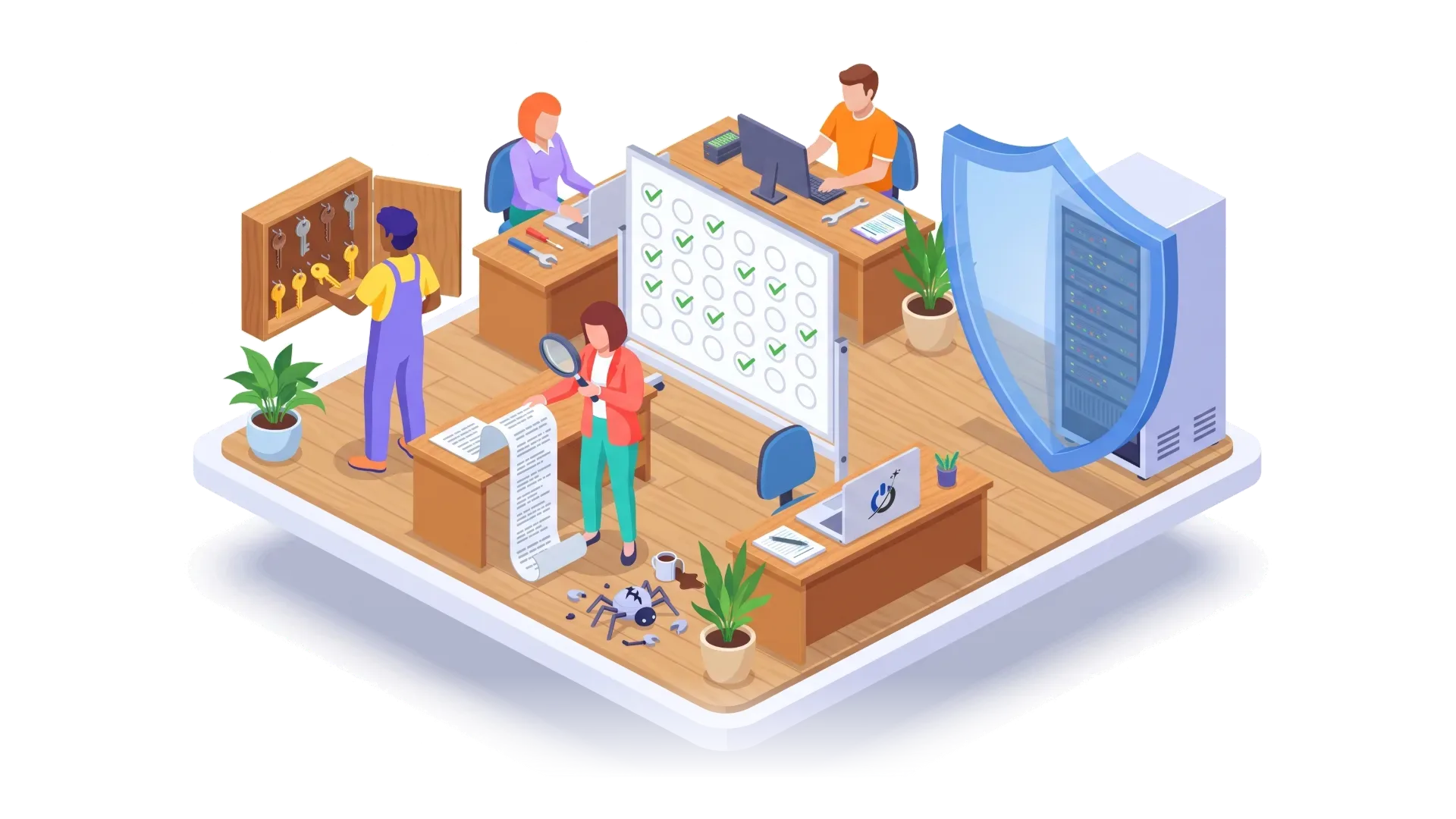
If several boxes remain empty because you don’t know how to check them, that’s normal: most require server access and some administration skills. This is exactly the role of a maintenance provider.
Why a maintenance plan changes everything against a flaw like PHP2Shell
PHP2Shell is not an isolated case. Every year, several critical flaws affect PHP, CMSs, plugins, or the libraries they use. What makes the difference is not the flaw, it’s the reaction time and the methodology.
A serious website maintenance plan covers exactly what many sites lacked in October:
- Security monitoring that spots a vulnerability announcement before it makes headlines, and an action plan ready on patch day.
- Updating all layers: CMS, plugins, theme, but also PHP and the server, with a restart and a check of the version actually served.
- Testing after each update: forms, orders, payment, client area.
- Verified backups, stored off-server, to roll back in case of a problem or intrusion.
- Continuous monitoring: uptime, modified files, created accounts, Google Search Console alerts.
- Planning version upgrades: phasing out PHP 8.2 before December 31, 2026, preparing for PHP 8.4 or 8.5, with zero downtime. For a change of host, our method is detailed in the article on zero-downtime hosting migration.
PHP2Shell is the perfect illustration: within hours of the patch release on October 21, 2026, all our clients’ sites under a maintenance plan were already running on a patched PHP version, without them having to ask. Our security monitoring caught the alert, our team updated PHP, restarted the servers, and checked every site.
At Aurone, our maintenance plans include a 24-hour response time, and one hour for security emergencies, on WordPress, WooCommerce, PrestaShop, and other CMSs. For WordPress sites, our WordPress maintenance offer includes PHP version tracking; for stores, the PrestaShop maintenance also covers modules and the server. You can explore our website maintenance plans to ensure your site is always protected.
Conclusion: The PHP vulnerability patch is a reflex to keep
PHP2Shell highlights a reality that many website owners are discovering on this occasion: beneath every site, there is a language, a server, and settings, and all require monitoring. The good news is that the defense is simple when anticipated: check your version, apply the PHP update, restart, test, and then plan the next version upgrades.
If you haven’t checked your site yet, do it today with the tool in this guide. If the answer is “vulnerable,” “deprecated,” or “I don’t know,” don’t face the problem alone.
Frequently asked questions about the PHP update and the PHP2Shell flaw
What is the PHP2Shell flaw?
PHP2Shell is the nickname for two critical flaws in the PHP language, CVE-2026-109618 and CVE-2026-109619, patched on October 21, 2026, and scoring 9.2 out of 10. They allow an attacker to execute commands on a remote web server, without a username or password, by exploiting PHP’s memory management when processing a request. All PHP versions from 5.4 to 8.5 serving web pages are affected. The only complete protection is updating to PHP 8.5.12, 8.4.27, 8.3.36, or 8.2.35.
Is updating WordPress enough to protect against PHP2Shell?
No. The flaw is in PHP, the engine installed on the server, not in WordPress, its theme, or its plugins. Updating WordPress remains essential for other reasons, but only a PHP update fixes PHP2Shell. On shared or managed hosting, the host applies it: ask them for written confirmation.
How do I know which PHP version my site uses?
In WordPress, the PHP version is displayed in Tools, Site Health, Info tab, Server section. In PrestaShop, it is found in Advanced Parameters, Information, and in Joomla under System, System Information. You can also check it in your hosting client area, under the “PHP Version” section. Note the full number, with its three digits, to know if it contains the patch.
Which PHP version should I choose in 2026?
In 2026, the most durable versions are PHP 8.4, maintained until December 31, 2028, and PHP 8.5, maintained until December 31, 2029. PHP 8.3 remains acceptable until late 2027. PHP 8.2 will stop receiving patches on December 31, 2026, and PHP 8.1 already receives none. Before changing branches, check the compatibility of your theme and plugins on a staging site.
Can the PHP update break my site?
A patch update within the same branch, for example from 8.3.30 to 8.3.36, is generally safe for the site. However, a branch change, such as moving from PHP 8.1 to 8.4, can cause errors with an old theme, plugin, or custom code. You must therefore make a backup, test the new version on a staging site, and then check forms, payment, and the client area after going live.
Does my host handle the PHP update?
On shared or managed hosting, the host updates the PHP versions offered on their servers, but it is often up to you to choose the branch used by your site. On a virtual or dedicated server, the update is the responsibility of the client or their maintenance provider. In all cases, ask in writing if the October 21, 2026 PHP2Shell patch is applied and if PHP has been restarted since.
Our sources
- AWS, PHP2Shell: Inside the Critical PHP Vulnerabilities That Put Web Servers at Risk
- Automattic, Your Sites Are Protected Against the PHP2Shell Vulnerabilities (October 21, 2026)
- Acer, PHP2Shell Explained: What the PHP Vulnerability Means for You
- Trellix, PHP2Shell: What defenders need to know
- Kaspersky, PHP2Shell: what we know about the threat two weeks later
- Bitdefender, Technical Advisory: PHP2Shell Pre-Auth RCE
- Sansec, PHP2Shell: PHP RCE
- NCSC-NL (Dutch National Cyber Security Centre), php2shell
- PHP Project, PHP 8.4.27 release announcement (October 21, 2026)
- php.net, Supported PHP versions
- The Hacker News, PHP issues second Windows security update (Brotli, CVE-2026-111497)
- IT-Connect, PHP reports a new RCE flaw (CVE-2026-115560)
- Malwarebytes, PHP2Shell: Why websites are going offline for emergency security updates