Website Security Analysis: Suspicious Traffic from Hong Kong

One Monday morning, the manager of an online service business opened Google Analytics and noticed an unusual trend: dozens of daily visits from Hong Kong, a region where he has no customers. On the surface, nothing seemed wrong—the site was running smoothly and orders were coming in. But the phenomenon persisted for days, leading him to ask us a simple question: “Has my website been hacked?”
Many business owners ask themselves this exact question at some point. To give a reliable answer, running an automated online scanner isn’t enough. You need a proper website security analysis that cross-references visitor statistics, server logs, file integrity, user accounts, and firewall configurations.
This case study outlines, step by step and anonymously, the investigation we conducted for this client: a WordPress site running a WooCommerce store. You will see what this suspicious traffic was hiding, why Google Analytics doesn’t filter this type of bot traffic in Google Analytics, how we uncovered a credit card fraud attempt that had gone completely unnoticed, and most importantly, how to perform the same website security check on your own site.
At a glance
- A website security analysis involves checking, with concrete evidence, whether a site is compromised, under attack, or exposed, and then prioritizing the necessary fixes.
- Suspicious traffic in Google Analytics often comes from bots executing JavaScript just like a real browser: the built-in GA4 bot filter doesn’t catch them.
- In this specific case, the site wasn’t hacked, but a bot was hunting for exposed API keys, and fraudsters were testing stolen credit cards through the online store.
- Server logs, file integrity checks, and the WordPress activity log allow us to get clear answers within a few hours.
- Protection relies on multiple layers: store settings, a web application firewall, updates, and regular monitoring.
What is a website security analysis?
A website security analysis is a methodical examination of a site to answer three questions: is the site compromised, is it currently under attack, and what vulnerabilities could be exploited tomorrow? It relies on hard evidence (logs, file hashes, login history) and concludes with a prioritized list of fixes.
It is often confused with other services. While complementary, they do not address the same needs.
| Service | Question asked | Method | When to use it |
|---|---|---|---|
| Automated scan | Does the site have known vulnerabilities? | Online tool or plugin that tests versions and configurations | Continuously, as a first line of defense |
| Security analysis | Is the site compromised or currently under attack? | Investigation: logs, files, accounts, database, firewall | As soon as an unusual signal appears |
| Security audit | Is the level of protection sufficient? | Comprehensive review of configuration, access, and processes | Once or twice a year, or before a redesign |
| Penetration testing (pentest) | Can an attacker break in? | Simulated and authorized attack, with proofs of concept | Sensitive sites, business applications, compliance requirements |
In our case, the request clearly required an analysis: an unusual signal and the need to quickly know if there was cause for concern. For a deep dive into your overall protection, our article on security audits before an incident details the process.
The starting point: suspicious traffic in Google Analytics
The client spotted the anomaly in the Google Analytics 4 country report: a steady stream of visits attributed to Hong Kong, day after day. Looking closer, these sessions shared several traits typical of automated traffic:
- a “Direct” or “(not set)” traffic source, with no search engine or referring site;
- an engagement time close to zero seconds;
- only one pageview per session, always the same pages: home, website creation, cart, contact;
- visits spread throughout the day and night at regular intervals;
- zero conversions, zero returning users.
Taken individually, none of these signals prove an attack. Together, they almost always point to bots. The question is: which bots, and what are they looking for? A bot indexing pages for artificial intelligence does not carry the same risk as a bot testing passwords or credit card numbers.
Why Google Analytics doesn’t filter this bot traffic
Many website owners assume Google Analytics automatically eliminates bots. This is true, but only partially. According to Google’s official documentation, GA4 automatically excludes traffic from known bots and spiders, identified through Google’s research and the International Advertising Bureau (IAB) bot list. This filter cannot be disabled, and it is impossible to know how many visits it has removed.
The problem lies in the word “known.” This filter relies heavily on the signature the bot announces (its “user-agent”). An honest bot identifies itself; a malicious bot disguises itself as a standard Chrome browser. Worse, modern bots use headless browsers that execute the page’s JavaScript, including the Google Analytics tag. To GA4, they look exactly like real visitors.
This is not a marginal issue. According to the annual Bad Bot Report by Imperva (a Thales company), bots accounted for 51% of global web traffic in 2024, with 37% being malicious bots; the 2026 edition reports 53% automated traffic in 2025, including about 40% malicious bots. E-commerce is among the most targeted sectors.
The practical takeaway: Google Analytics is an excellent marketing tool, but a poor security tool. To understand what is truly happening, you have to dig deeper, on the server side. Our complete guide to Google Analytics 4 explains how to properly read your reports.
Our 6-step website security analysis method
We always follow the same process, moving from the fastest checks to the deepest. The goal is to quickly answer the question “Am I hacked?” without modifying anything on the site before understanding the situation.
ScopeGather observed signals, dates, available access, and make a backup before taking any action.
Read logsServer access logs: most active IP addresses, browser signatures, targeted pages, response codes.
Verify filesCompare the CMS core and plugins to official versions, look for injected code and recent files.
Check accountsAdministrators, recent accounts, successful and failed logins in the activity log.
Inspect databaseSensitive options, injected content (scripts, iframes, hidden links), scheduled tasks.
Cross-reference with firewallCDN or web application firewall statistics: real countries, volumes, requests already blocked.
A technical point is worth noting right from step 2: when a site uses a CDN or a cloud firewall (Cloudflare, Sucuri, etc.), server logs often only record the IP addresses of that service, not those of the actual visitors. You then have to analyze signatures and behaviors, and confirm the true origin in the CDN dashboard. That is exactly what happened here. We explain the value of these files in more detail in our article on server log analysis.
What the server logs revealed
Over the three days of available logs, the site had received about 124,000 requests. Once search engine bots, monitoring tools, and clearly identified AI bots were filtered out, one signature stood out: a “Chrome on Android” browser responsible for about 13,000 requests in three days, accounting for over 10% of the total traffic on its own.
Its behavior was anything but human. Roughly every hour, it loaded the same pages, executing their JavaScript (hence the visits in Google Analytics), and then ran through a series of URLs that do not exist on a standard WordPress site:
- API endpoints:
/graphql,/api/graphql,/swagger,/api-docs; - Developer settings pages:
/settings/api-keys,/settings/developer,/webhooks,/internal,/debug; .js.mapfiles, the “source maps” that sometimes accompany scripts and can reveal code or forgotten secrets.
This bot wasn’t trying to hack WordPress. It was hunting for API keys and secrets exposed by mistake, a goldmine for attackers: a payment, email, or AI API key allows them to use a service at the victim’s expense. All of its requests returned a 404 error: nothing of the sort was exposed. We detail best practices in our article on protecting API keys and secrets in code.
And what about Hong Kong? The firewall statistics debunked the initial assumption. This bot was routing through IP addresses all over the world (Canada, the US, Germany, Singapore, the Netherlands, Belgium…), likely using residential proxies that hijack everyday users’ connections. The traffic actually originating from Hong Kong only amounted to about 300 requests per day, more than half of which were already intercepted by automatic firewall rules. A portion of the remainder was looking for classic backdoors (PHP files with suspicious names), without success. Blocking a specific country would have solved nothing.
Seeing unexplained traffic in your statistics? Request a website analysis from our experts
Was the site hacked? Integrity checks
A persistent bot does not prove a hack. To answer the client’s question, we ran a thorough website security check, verifying everything an attacker typically modifies after a successful intrusion.
| Check | What we look for | Result |
|---|---|---|
| WordPress core files | Files modified compared to the official version | Compliant |
| Plugin files | Added or altered code | Compliant one old, legitimate customization identified |
| Malware scan | Obfuscation functions, known backdoors | Clean only recognized libraries |
| Media folder | Hidden PHP files among images | Clean |
| File history (Git) | Unexplained modifications | Clean only translations |
| Administrators | Unknown or recently created accounts | Clean |
| Back-office logins | Logins from an unusual location or device | Normal |
| Database | Modified site URL, injected scripts | Clean |
| Scheduled tasks | Unknown cron task reinstalling malware | Clean |
| Store customer accounts | Abnormal registrations | Anomaly 11 fake accounts in a few days |
The logs also showed numerous attacks… all of which failed: blocked attempts on xmlrpc.php, standard login page not found because it had been moved, unauthorized calls to the plugin installation API denied. This was proof that simple protections, implemented earlier, were doing their job silently.
The site was therefore not hacked. However, the last line of the table changed the course of the investigation.
The real discovery: stolen credit card testing
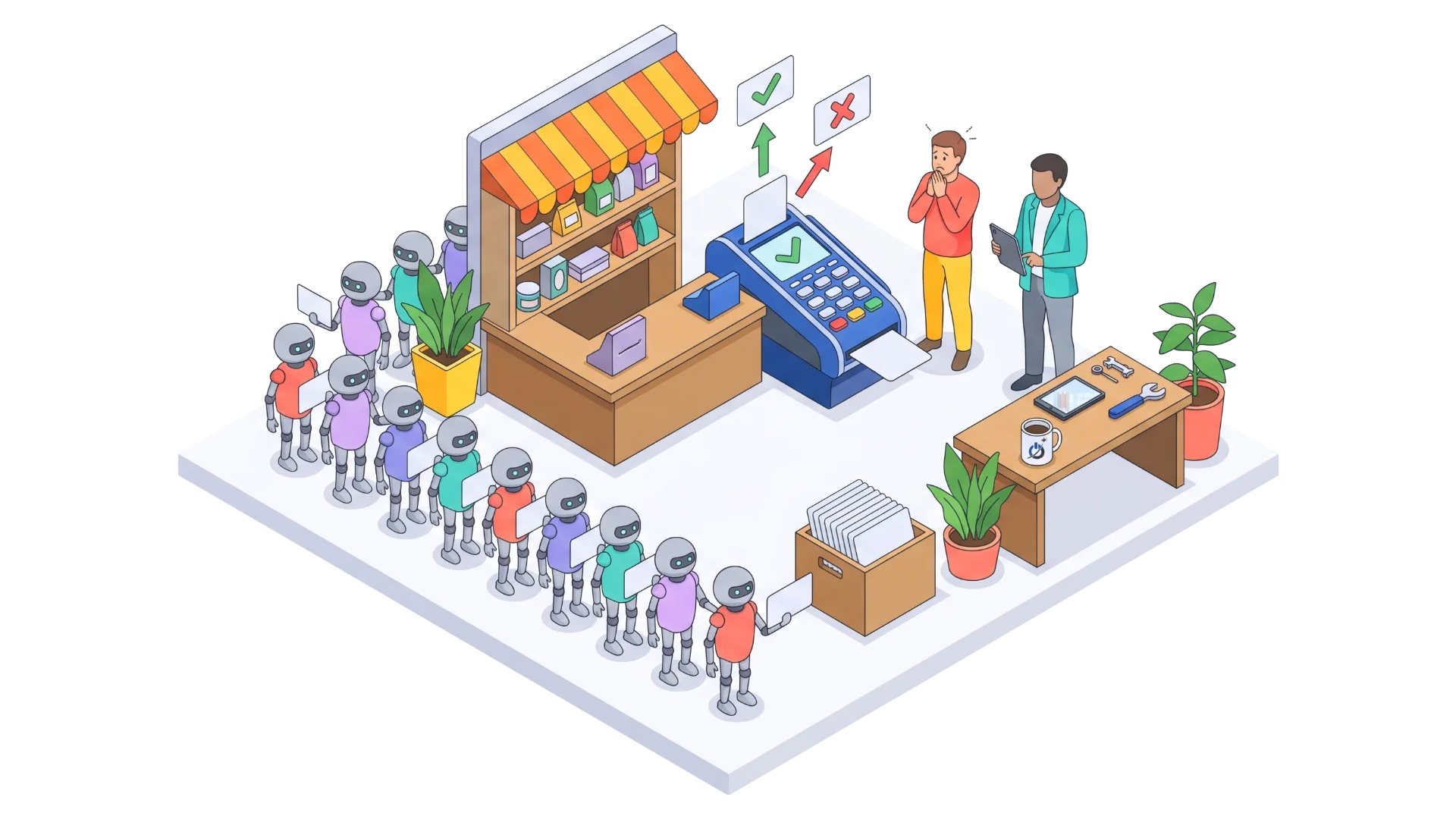
By checking the WordPress activity log, we found eleven customer accounts created over two periods of a few days, with randomly generated names and fake email addresses. Each followed the exact same scenario, in under two minutes:
- Account creation from the store’s “My Account” page;
- Immediate login, from a different IP address each time (Brazil, Mexico, Germany…);
- Visit to the “Payment Methods” pages, then “Add a payment method”;
- Abandonment, followed by a new account an hour later.
This pattern has a name: card testing. Fraudsters who have purchased lists of stolen credit card numbers check which ones still work. Rather than placing actual orders, they use a more discreet feature: saving a card in the customer dashboard, which triggers a verification with the bank. Validated cards are then resold at a higher price or used elsewhere.
For the merchant, the consequences can be severe, even if no merchandise is lost:
- Transaction fees charged on each attempt by certain payment processors;
- Chargebacks if fraudulent payments go through;
- Merchant account suspension: payment processors monitor this type of activity and can freeze the funds of a store used as a testing ground;
- Pollution of the customer database and store statistics.
Stripe, one of the leading payment processors, points out that fighting card testing is a shared responsibility between the merchant, the card networks, and the processor, and it often requires adjusting settings on the website side. WooCommerce also publishes dedicated documentation on these attacks. In our case, the attempts had failed, but nothing was stopping them from starting again.
The measures taken, layer by layer
Once the diagnosis was clear, we applied targeted fixes without disrupting real customers, noting every original setting to ensure we could roll back if needed.
1. Closing unnecessary store doors
The store allowed open account creation on the “My Account” page and saving a card outside of the checkout process. Neither of these features was useful to real customers. We disabled them: a customer can still check out as a guest or create an account during payment. The pages used by the fraudsters now return a 404 error.
2. Adding an anti-bot verification to the firewall
The site was already protected by a CDN with a web application firewall. We added a rule enforcing an anti-bot verification (“Managed Challenge”) on the customer dashboard and the URLs probed by the bot. A human passes this check in a second, often without noticing; an automated script is blocked. Verified search engine bots are excluded from the rule: zero impact on SEO.
3. Cleaning up what is no longer needed
An old tracking plugin, deactivated long ago, was still installed. An unused plugin doesn’t execute, but it remains one more piece of code to monitor. We archived it and then deleted it.
4. Scheduling a follow-up check
An attack that fails often returns in another form: website monitoring must therefore continue after the fixes. A new check was scheduled a week later to measure the impact of the rules, ensure there were no false positives, and decide on the next steps. For continuous protection, our 24/7 AI threat detection service can automate this monitoring.

What we deliberately avoided
Two common reactions would have been counterproductive. Blocking Hong Kong would have been useless, since the main bot routed through dozens of countries. As for country whitelists (“allow all traffic from the US or the UK”), they are frequently used to avoid inconveniencing real customers, but they have a perverse effect: on most firewalls, an “Allow” rule bypasses all other protections for that traffic. A bot hijacking a US connection would then pass through unchecked. We flagged this point to the client for their decision.
Want a firewall and rules tailored to your site? Discover our website protection services
Warning signs to watch for on your site
Here are the signals that should trigger an analysis, ranked by severity. Most can be spotted without technical expertise.
| Signal | Where to see it | Severity | First action |
|---|---|---|---|
| Visits from a country with no customers, zero engagement | Google Analytics, country report | To monitor | Check logs or CDN before concluding |
| Traffic spike without an increase in sales or contacts | Google Analytics, real-time | To monitor | Identify targeted pages and source |
| Customer accounts with random names | User or customer list | Important | Look for a card testing pattern |
| Series of declined payments | Payment processor dashboard | Urgent | Enable anti-fraud protections, notify the processor |
| Unknown administrator | CMS user list | Urgent | Apply emergency procedure |
| Redirects to other sites, foreign language pages in Google | Mobile browsing, “site:” search | Urgent | Isolate the site, analyze files |
| “Security issues” alert | Google Search Console | Urgent | Clean up, then request a review |
| Website emails ending up in spam or not arriving | Inbox, customer feedback | Important | Verify no script is sending spam |
| Recent PHP files in the media folder | Hosting, file manager | Urgent | Do not delete manually: get it analyzed |
If one of the “Urgent” signals appears, don’t waste time: follow our emergency guide for hacked sites, then our article hacked site: what to do step by step.
Performing your own website security analysis: the checklist
You don’t necessarily need an agency for an initial check. Here is the checklist we use, from the simplest to the most technical. The first points are accessible to any website manager.
- Google Search Console: “Security issues” and “Manual actions” sections. An alert here takes priority over everything else.
- Google Analytics: Compare countries, sources, and engagement time over the last four weeks with the same period the previous year.
- User list: Delete unnecessary accounts, verify every administrator, and enable two-factor authentication.
- Updates: CMS core, theme, and plugins up to date; delete anything that is deactivated.
- Backups: Ensure a recent backup exists off the server and can be restored.
- Activity log: Install one if you haven’t already; without it, it’s impossible to know who did what.
- File integrity: Compare the core and plugins to official versions (security plugins and the WP-CLI command-line tool do this).
- Server logs: Most active IP addresses and signatures, repeated 404 errors, requests to sensitive files.
- Store: Registrations, declined payment attempts, genuinely useful customer dashboard features.
- Firewall or CDN: Active rules, overly broad whitelists, statistics by country and bot type.
For WordPress sites, our dedicated page on WordPress security describes the protections we implement, and our article on web security explained without jargon covers the basics.
Filtering bot traffic in Google Analytics
Once the threat is neutralized, the issue of skewed statistics from bots in Google Analytics remains. GA4 offers few levers to exclude this traffic retroactively: its data filters only apply to internal and developer traffic. However, several solutions exist:
- Block at the source: The best option. A bot stopped by the firewall never loads the Google Analytics tag, and your numbers become reliable again for the future.
- Compare with a segment: In Explorations, create a comparison that excludes zero-engagement sessions from countries where you have no customers.
- Exclude unwanted referrals: In the data stream settings, the unwanted referrals list prevents a spam domain from appearing as a source.
- Annotate: Note the date of the incident and the fixes so that future reports remain interpretable.
Don’t try to “clean” the past at all costs: what matters is knowing what portion of your numbers is real when making marketing decisions.
Protecting your store against card testing
Card testing targets all platforms. The levers are the same everywhere; only the settings change.
| Platform | Entry points to monitor | Protections to enable |
|---|---|---|
| WooCommerce | Registration on “My Account”, adding a payment method, checkout page | Disable unnecessary features, anti-bot verification (Turnstile or reCAPTCHA), rate limiting, payment gateway anti-fraud tools |
| PrestaShop | Account creation, contact form, checkout | Anti-spam or anti-bot module, registration validation, payment processor rules |
| Shopify | Account creation, checkout | Built-in platform protections, high-risk order analysis, payment gateway rules |
| All | Upstream automated traffic | Web application firewall with anti-bot verification, rate limiting, 3D Secure enabled |
On PrestaShop, the issue of fraudulent registrations is common: our article on fake customer accounts on PrestaShop details the solutions. And if you manage a WooCommerce store, our WooCommerce agency can audit your payment settings.
What if personal data has been leaked?
In our case, no data was exposed. But if an analysis reveals an intrusion with access to customer data, legal obligations apply, often with tight deadlines. These vary by country.
| Region | Reference text | Authority | Notification deadline |
|---|---|---|---|
| European Union | GDPR | National Data Protection Authority | 72 hours after becoming aware of it, if the breach presents a risk |
| United Kingdom | UK GDPR | ICO (Information Commissioner’s Office) | 72 hours, same rule |
| United States (California) | CCPA / CPRA | California Privacy Protection Agency (CPPA) | Without unreasonable delay |
| Canada | PIPEDA | Office of the Privacy Commissioner (OPC) | As soon as feasible if real risk of significant harm |
In all cases, document every finding and every action from the very beginning of the analysis: this log will be useful for both the notification and potential insurance claims.
Common misconceptions about small website security
- “My site is too small to interest hackers.” Bots don’t pick their targets: they scan the entire web. A small store is actually an ideal target for card testing because it is often less monitored.
- “Google Analytics filters bots.” Only the ones that announce themselves. Bots that mimic a browser slip right through.
- “Blocking China or Hong Kong is enough.” Attackers use proxies in every country, including yours.
- “Not hacked, so no risk.” As our case shows: the site was clean, but its store was being used to validate stolen credit cards.
- “A security plugin is enough.” It is useful, but it only covers one layer. Effective protection combines settings, a firewall, updates, and monitoring.
Conclusion: a website security analysis is better than worrying
Suspicious traffic in Google Analytics is not always a sign of a hack, but it is never a detail to ignore. In our client’s case, a few hours of website security analysis were enough to rule out a hack, identify a bot hunting for API keys, and uncover a credit card fraud attempt that had gone unnoticed.
The lesson goes beyond this specific case: a site’s security lies in the details (an unnecessary store feature, an overly broad whitelist, a forgotten plugin), and only a methodical check can spot them. If you have doubts about your site, it is better to clear them up now than to discover the issue in your bank dashboard. If you need assistance, our website security services team is here to help.
Frequently asked questions about website security analysis
How do I know if my website has been hacked?
To know if a website has been hacked, you should look for several clues: an unknown administrator, redirects to other sites, foreign language pages in Google search results, or an alert in the “Security issues” section of Google Search Console. You must then compare the site’s files to the official versions of the CMS and plugins, and examine recent logins in the activity log. When in doubt, a website security analysis can provide a definitive answer in a few hours.
Why do I have traffic from Hong Kong or China in Google Analytics?
Unexplained traffic from Hong Kong or China in Google Analytics most often comes from bots hosted on Asian cloud servers or routing through proxies. These bots execute the page’s JavaScript and are therefore counted as visitors, with an engagement time close to zero and a single page view. This traffic skews statistics but does not indicate a hack on its own. Only server or firewall logs can reveal what these bots are looking for.
How do I exclude bot traffic in GA4?
GA4 automatically excludes known bots, but its data filters do not allow you to exclude other bots retroactively. The most effective solution is to block these bots upstream with a web application firewall or a CDN, so they no longer load the tag. For historical data, you can create comparisons or segments that exclude zero-engagement sessions from non-targeted countries. The unwanted referrals list handles spam sources.
What is card testing on an online store?
Card testing is a fraud technique that involves using an online store to check if stolen credit card numbers are still valid. Fraudsters use small orders or the “add a card” feature in the customer dashboard, often in an automated way. The merchant suffers fees, chargebacks, and risks having their merchant account suspended. Disabling unnecessary features and adding an anti-bot verification greatly reduces this risk.
How long does a website security analysis take?
A website security analysis typically takes from a few hours to two days for a corporate site or a medium-sized store. The duration depends on access to server logs, the presence of an activity log, and the complexity of the site. The initial diagnosis (hacked or not) is often made within the day, and fixes are then applied by priority. A follow-up check a few days later verifies the effectiveness of the measures.
How often should I analyze my website’s security?
It is recommended to analyze your site’s security at least once a year, and after any unusual event: an unexplained traffic spike, a Google alert, suspicious registrations, or a series of declined payments. E-commerce sites and those handling sensitive data benefit from quarterly checks. Between analyses, regular updates, tested backups, and automated monitoring cover the bulk of the risks.
Our sources
- Google Analytics Help, excluding known bot traffic
- Imperva (Thales), Bad Bot Report
- ITPro, AI is helping bad bots take over the internet (Bad Bot Report 2025)
- Stripe, card testing documentation
- WooCommerce, preventing and responding to card testing attacks
- Cloudflare, documentation on anti-bot verifications (challenges)