Description
Exporting your invoices one order at a time?
The native PrestaShop export only generates a single merged PDF, filtered by date or status. There is no way to filter by customer, country, or carrier, no ZIP archive option, and no progress tracking. When you need to export PrestaShop invoices for your accountant, you often have to open orders one by one or download everything and sort it manually.
Filter and export PrestaShop invoices in one click
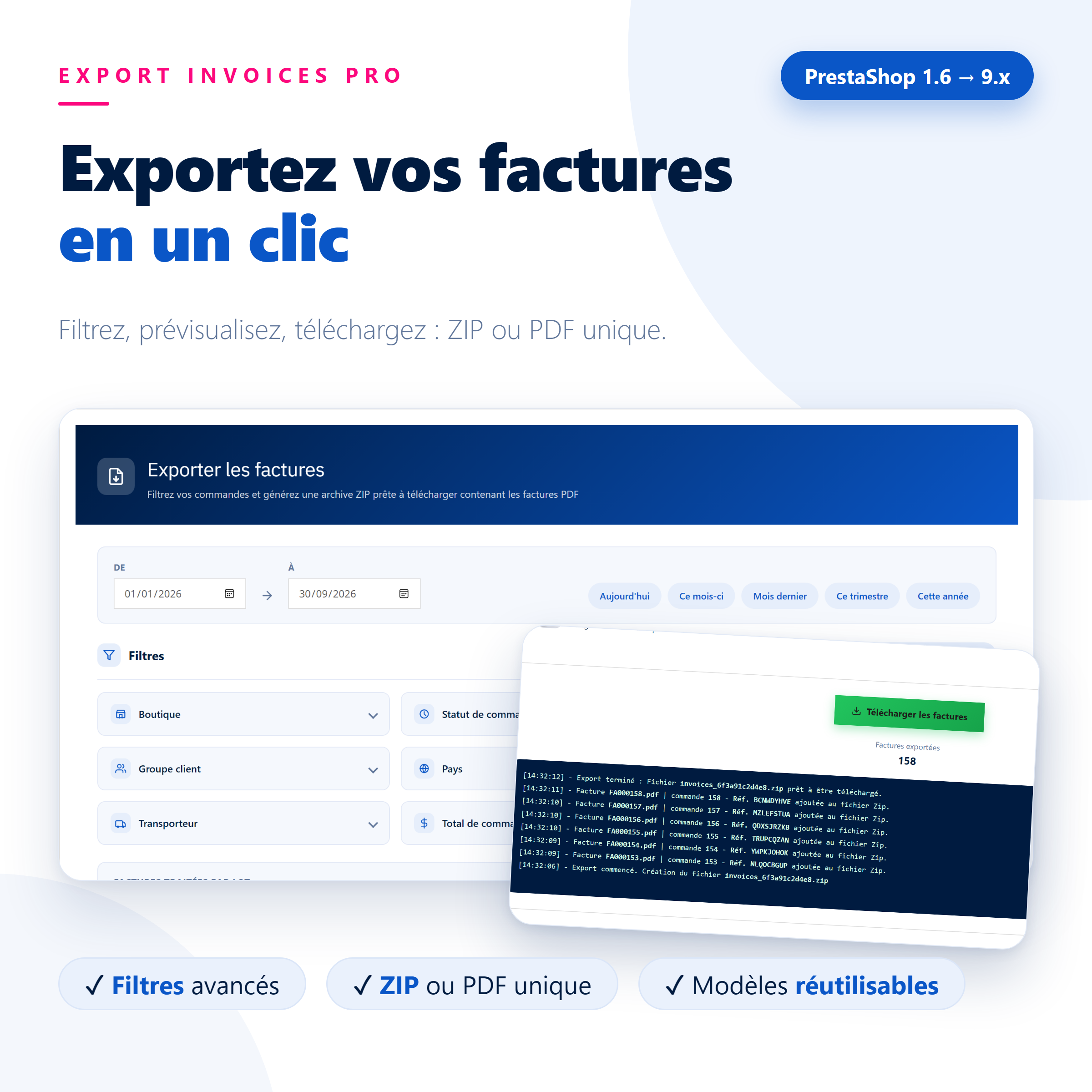
Export Invoices Pro generates your order PDF invoices in a single operation: select the date range, refine with filters, view the exact number of invoices before starting, and then download a ZIP archive (one PDF per order) or a single PDF. You can save your settings as a template to run the exact same export every month without re-entering anything.
Without vs. With Export Invoices Pro
| Without the module | With Export Invoices Pro |
|---|---|
| A single merged PDF, by date or status only | 8 combinable filters: shop, status, customer, group, country, zone, carrier, amount |
| No way to know how many invoices will be exported | A live preview of the order and invoice count before starting the export |
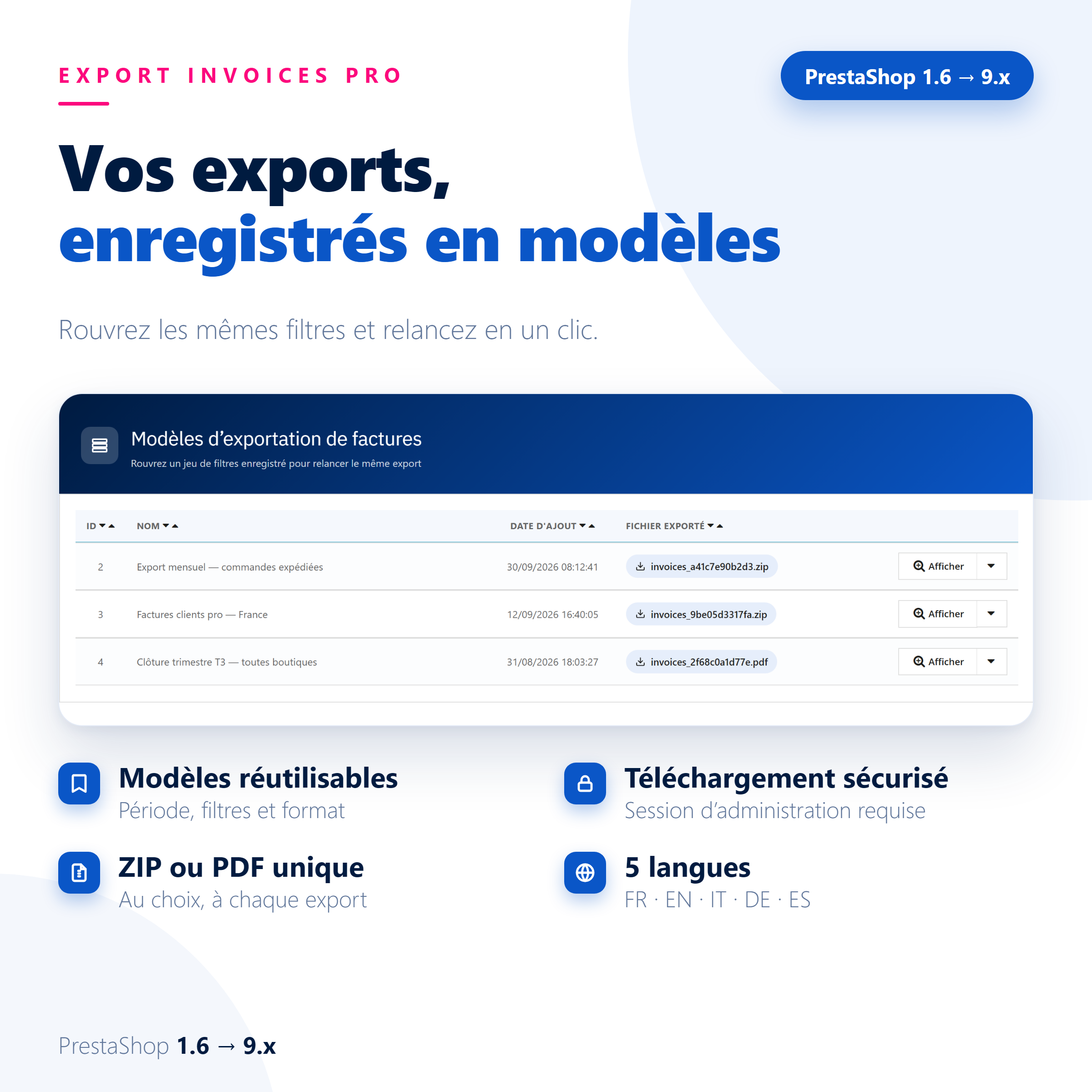
| The same settings must be re-entered for every export | Saved export templates: date range, filters, and format reloaded in one click |
Who is it for?
Accountants and managers
Monthly, quarterly, or annual invoices, ready to send in a few clicks.
Multistore and international shops
Export by shop, country, or zone without mixing documents.
High-volume merchants
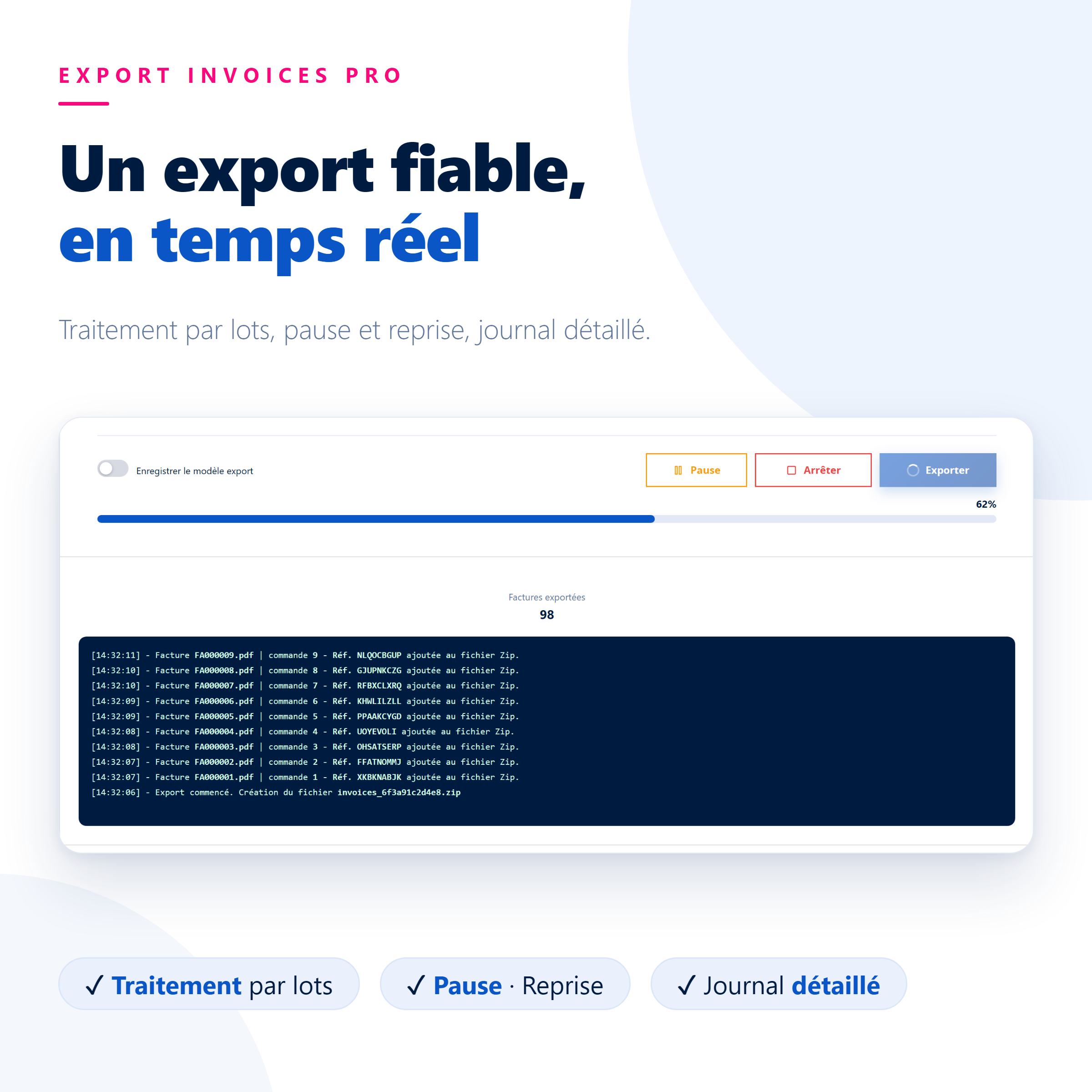
Batch processing with a progress bar, pause, and resume, built for thousands of invoices.
What you get
- Real time savings: no more downloading invoices one by one or sorting them manually.
- Total control: see the invoice count before starting, then track the progress and details of each added invoice.
- Repeatable exports: save a template, and your monthly export runs exactly the same way.
Everything you need to know about Export Invoices Pro
Features
Filters and preview
- Date range: two dates, with shortcuts for “Today”, “This month”, “Last month”, “This quarter”, and “This year”
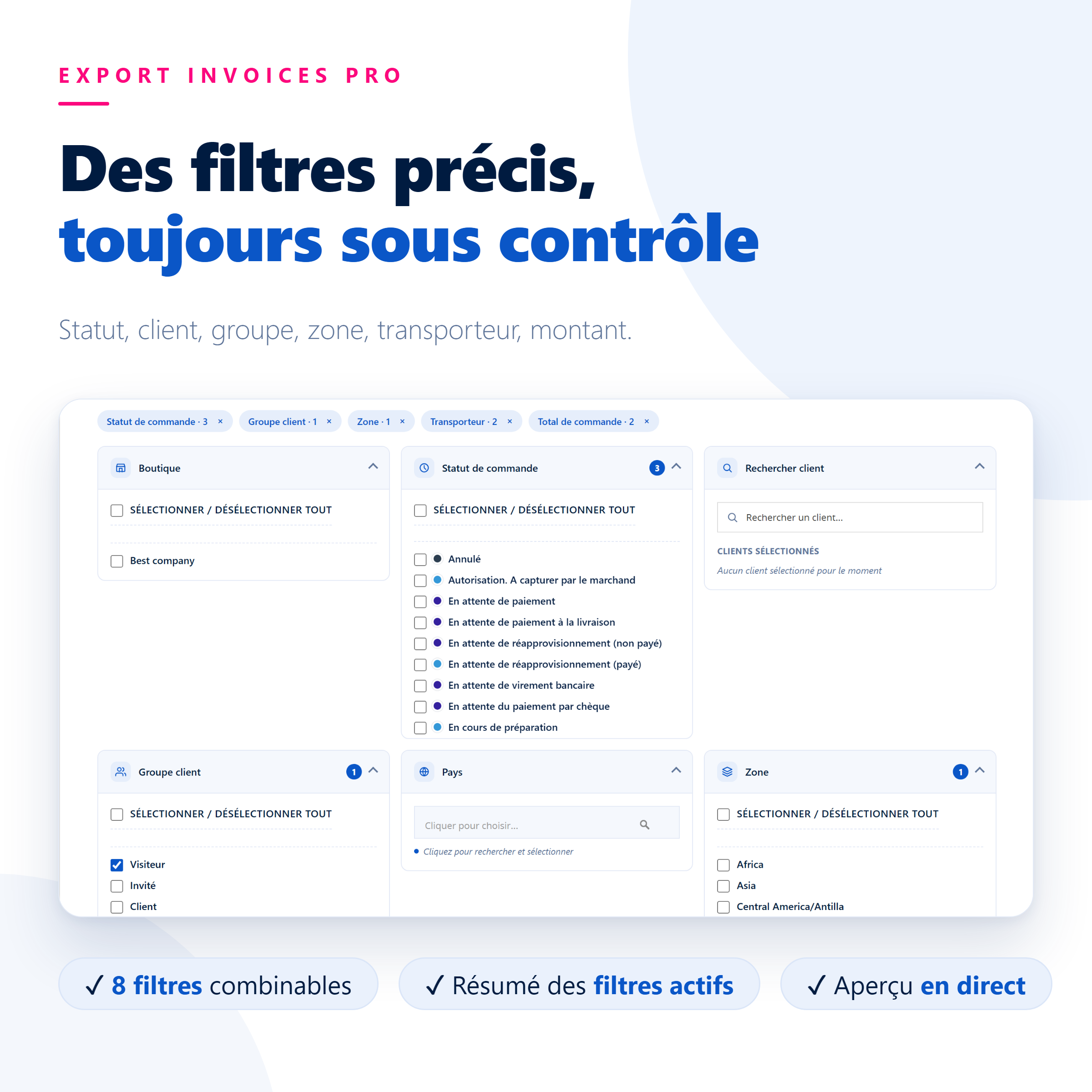
- 8 combinable filters: shop, order status, customer (search, multi-select), customer group, country, zone, carrier, and order total (minimum and maximum)
- Live preview: matching order and invoice count, updated with every change; the Export button is disabled when there are no invoices
- Active filters summary: count badges and buttons to clear a single filter or all filters at once
Export
- Two formats: ZIP archive (one PDF per order) or a single PDF, just like the native PrestaShop export
- Batch processing (5 to 100 invoices per batch) to ensure the server is never overloaded
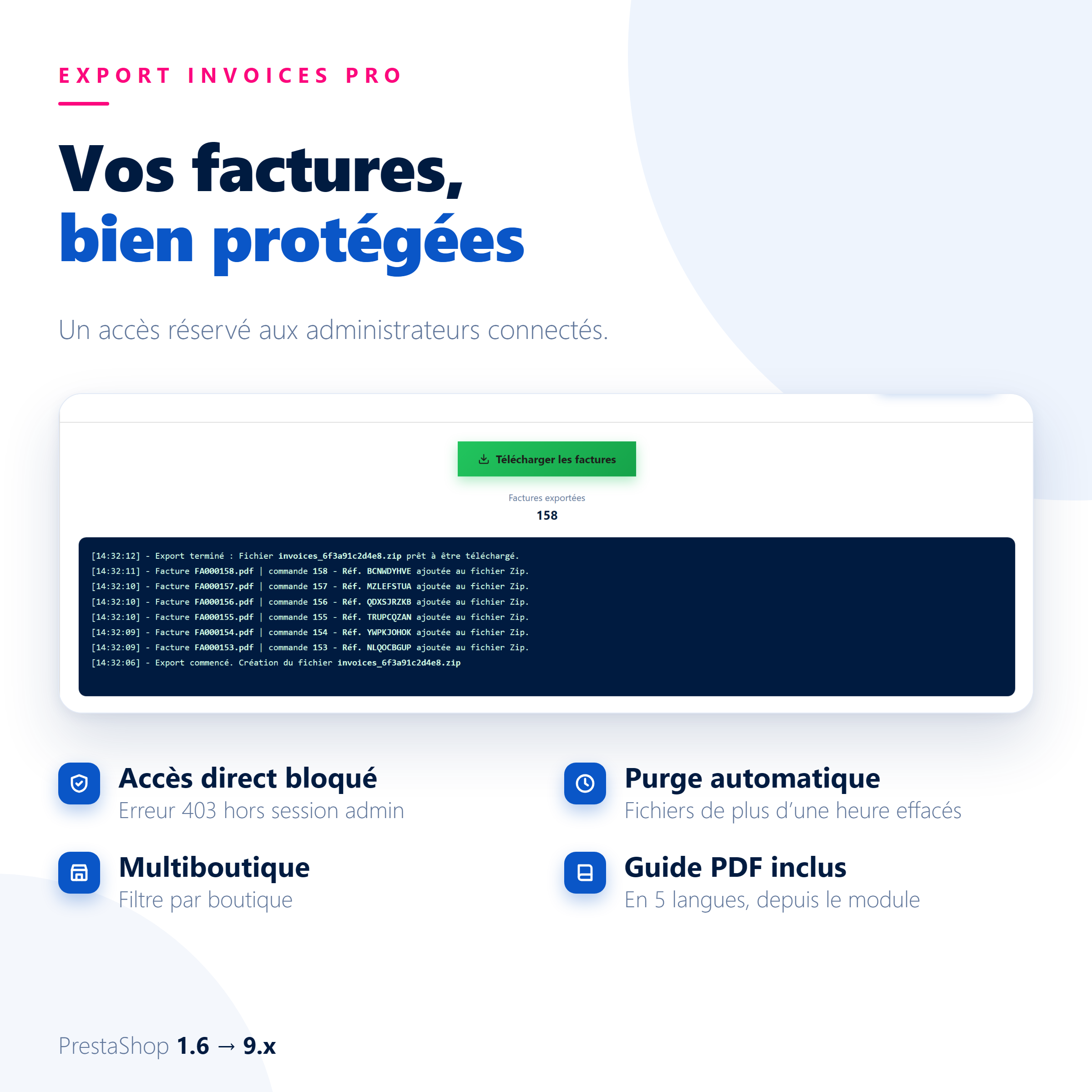
- Real-time tracking: progress bar, counter, and detailed log of each added invoice
- Pause, resume, and stop at any time without losing progress
- Respects your invoice templates: PDFs are generated by PrestaShop, keeping your standard invoice layout
Export templates
- One-click save: date range, filters, and format saved under the name of your choice
- Template list: reload a template with all its settings, run the export, redownload the last file, or delete it
Security and reliability
- No core PrestaShop modifications and no overrides: the module installs and uninstalls cleanly.
- Invoices contain customer data: export folders are blocked from direct access, and downloading requires a valid admin session.
- Automatic purge: temporary files older than one hour are deleted with every new export.
- Secure queries and controlled filenames: no entered path or parameter can escape the export folder.
- Warning prompt if you try to close the page during an active export.
Compatibility
- PrestaShop 1.6, 1.7, 8.x, and 9.x
- PHP 7.4 and higher (tested up to PHP 8.3)
- PHP zip extension for the ZIP format (the single PDF format does not require it)
- Multistore compatible: filter by shop
- Interface in English, French, Italian, German, and Spanish, depending on your admin language
Installation
- Install the module from Modules > Module Manager > Install a module
- Open Orders > Export Invoices: no configuration is required
- Select the date range, adjust the filters, and click Export: you are ready in under 5 minutes
On an Nginx server, add a rule blocking direct access to the module’s invoices and saved folders (the provided documentation explains how).
What’s included
- License for 1 PrestaShop store
- 12 months of updates
- 12 months of support in English, French, Spanish, German, Italian, and Arabic
- PDF user guide in 5 languages, accessible from the back office
- Immediate download after payment
“Module + installation” option (+$10): our experts install the module on your store and do the basic configuration. You don’t have to do anything.
Frequently asked questions
Do the exported PDFs have the same layout as my invoices?
Yes. The module asks PrestaShop to generate each invoice: you get your usual invoice layout, even if you use a customization module like Invoice Builder Pro.
Why do some orders not have an invoice?
PrestaShop only creates an invoice if the order status is configured to generate one (Orders > Statuses > Generate an invoice). The preview shows you the difference between the order count and the invoice count.
Can I export thousands of invoices?
Yes. The export is processed in batches, with a progress bar, pause, and resume. If your hosting is limited, simply reduce the batch size.
What happens if I close the page during an export?
The export stops (the browser asks for confirmation before leaving). You can simply restart it, or run it again from a saved template.
Who can download the exported files?
Only administrators logged into your back office. The files cannot be accessed via a direct URL and are purged automatically.
Can I use the module on multiple stores?
The license is valid for one store. For another store, you just need to order an additional license. On a multistore setup, the “Shop” filter limits each export to the selected stores.
In which languages is support provided?
Our team provides support in English, French, Spanish, German, Italian, and Arabic.
What happens after 12 months?
The module continues to work on your store. Only the updates and support expire.





Reviews
There are no reviews yet.